
Checklist for AI-Powered Museum Visits

Checklist for AI-Powered Museum Visits
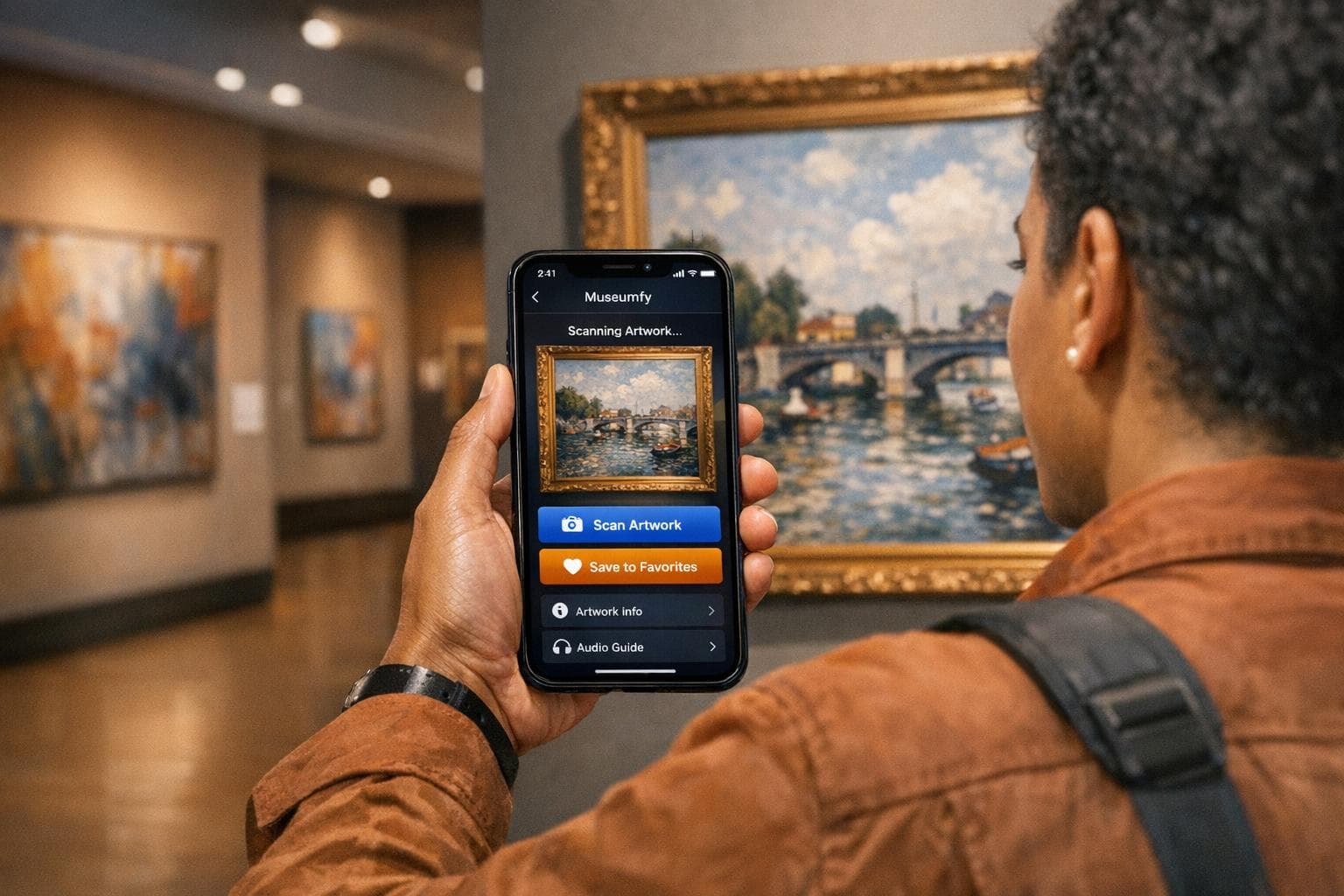
Visiting museums is now more interactive thanks to AI tools like Museumfy, which provide instant insights into artworks through image recognition and support over 20 languages. You can snap a photo of an exhibit, ask questions, and even save your favorite pieces for later - all from your smartphone. Here’s how to prepare and make the most of your visit:
- Download Museumfy: Available on iOS and Android, with free and premium ($9.99/month) plans.
- Charge Your Phone: Fully charge your battery and enable permissions for camera, Bluetooth, and location.
- Plan Ahead: Review the museum map and focus on key exhibits or themed tours.
- Use AI Features: Scan artworks for detailed info, ask questions, and follow personalized recommendations.
- Save Favorites: Keep a digital journal of your top picks and revisit them later.
AI tools like Museumfy enhance your visit without replacing the joy of viewing art in person. Prepare ahead, bring headphones, and let the app guide you while staying present with the exhibits.
How Can AI Personalize Your Museum Tour Experience? - Inside Museum Walls
Before You Go: Preparation Steps

Museumfy Free vs Premium Plan Comparison
Download and Set Up Museumfy
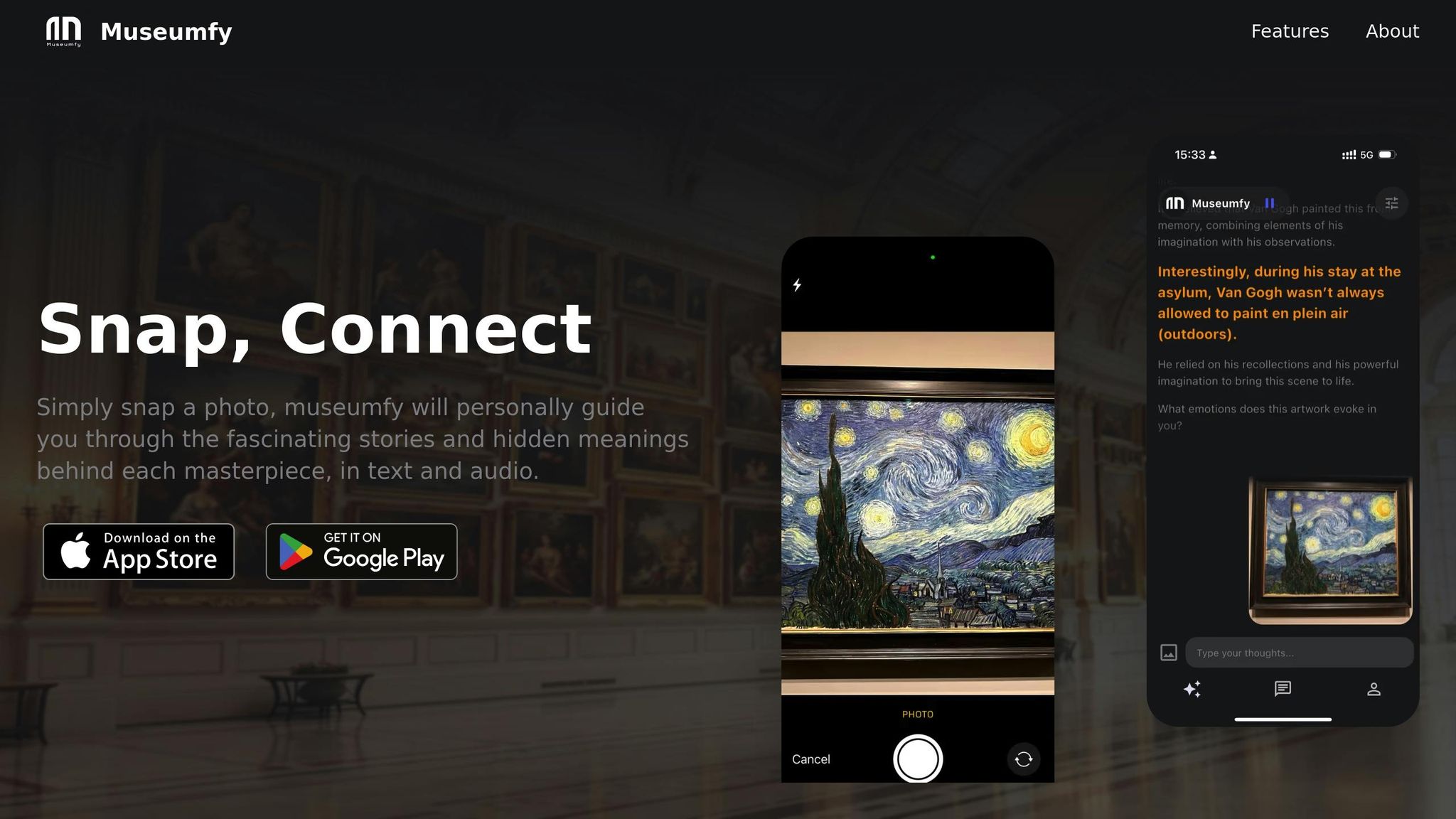
To get started, download Museumfy from the App Store or Google Play. Make sure you're connected to a stable Wi‑Fi network during installation. The app works on devices running iOS 14 or higher or Android 5.1 or higher.
Once installed, create an account to unlock features like the "You" section, where you can save your favorite artworks and design personalized tours. The app supports over 20 languages, so you can select the one you're most comfortable with. As for plans, you can choose the Free Plan ($0/month), which includes basic features and allows up to 5 photo uploads per month. For more advanced options, the Premium Plan ($9.99/month) offers unlimited scans and full access to audio guides.
After setting up the app, it's time to get your device ready.
Charge Your Phone and Enable Permissions
Fully charge your phone to 100% before heading out. Features like image recognition and location tracking can quickly drain your battery. As noted in the Cleveland Museum of Art's ArtLens guide:
Don't forget to charge your device before you arrive.
Next, enable permissions for your camera, Bluetooth, location, and photo-saving features. These settings are crucial for the app to work seamlessly. Also, double-check that your phone case isn’t obstructing the camera lens, as this could interfere with the scanning functionality.
Once your phone is charged and permissions are set, you're ready to dive in.
Review the Museum Map
Familiarize yourself with the museum's digital map to plan your visit effectively. Many museums, like the Art Institute of Chicago, cover vast spaces - this one spans nearly 1,000,000 square feet. Use the map to pinpoint galleries with AI recognition features or areas of interest, such as themed sections like "Folk and Self-Taught" or "America's Presidents."
If you're pressed for time, check out "Collection Highlights" tours, which are designed to showcase key exhibits in about one hour. These curated routes are a great way to make the most of your visit. Don’t forget to bring headphones for the audio guides - most museums don’t provide them, and they’re essential for a more immersive experience.
Setting Up at the Museum
Get Museumfy Ready
When you arrive, open the Museumfy app and connect it to the museum's free Wi‑Fi. This is essential for smooth image recognition and uninterrupted audio streaming, especially in areas where cellular signals might struggle, like thick-walled galleries or basement exhibits. Once connected, look for QR codes near gallery entrances or exhibition spaces. Scanning these codes will instantly load the relevant tour or content for that area. To ensure everything is working, test the app by using image recognition on a nearby labeled artwork. If it doesn’t respond, double-check your Wi‑Fi connection and camera settings. Once everything is set, you’re ready to personalize your experience.
Personalize Your Experience
Tailor the app to match your preferences. Start by selecting your language - Museumfy offers over 20 options. Then, choose a themed tour that suits your schedule, such as the "Collection Highlights Tour", a carefully curated 1-hour journey. You can also decide how in-depth you want the content to be. Opt for quick highlights if you're in a hurry, or dive into detailed commentary, complete with guest speakers and expert insights. Don’t forget to connect your headphones for an immersive audio guide experience during your visit.
Using AI During Your Visit
Take Photos to Get Instant Information
Spot an artwork that grabs your attention? Snap a photo with your camera! Museumfy's AI can instantly share details about the artist, historical context, and symbolism behind the piece. Just make sure to check the museum's photography policy first - many places, like the Hood Museum of Art, are fine with photography as long as you avoid using flash.
To get the most out of the app, try using specific prompts like, "Explain the symbolism in this painting and its historical significance". If the AI’s response feels off-track, refine your query with commands like, "Let’s focus specifically on…”. Bruce Wyman, Founder of Bruce Wyman Consulting, offers an important reminder:
AI responses should always be reviewed by people - this helps avoid hallucinations, which occur when AI makes things up. The tricky part is that these subtle lies are delivered with complete confidence.
Think of the app as a helpful starting point. For critical details, it’s always a good idea to check with museum staff or docents. Once you’ve gathered all the insights, save them for later so you can revisit your discoveries.
Save Your Favorite Artworks
When a particular piece speaks to you, hit the save button to add it to your Personal Visit Journal. This feature keeps track of every artwork you scan, along with AI-generated summaries, artist techniques, and historical context. You can also jot down your own observations - maybe it’s the way light creates depth or the meaning behind a symbolic element like a lily. These personal notes will make your post-visit reflections even richer, helping you remember why each piece stood out.
After your visit, dive back into your digital gallery to explore further or share what you’ve learned with friends and family. Plus, these saved insights will guide the app in offering you more personalized recommendations as you continue exploring.
Follow Personalized Recommendations
As you save your favorite pieces, Museumfy fine-tunes your experience by suggesting new artworks to check out. The app uses semantic relationship mapping to connect the dots - whether it’s works by the same artist, pieces from a similar historical period, or those influenced by the same artistic movement.
Take advantage of the "similar artwork" prompts to expand your journey. For instance, if you’re scanning Impressionist paintings, the app might direct you to a hidden gem in a lesser-known gallery featuring related works. To fully immerse yourself, bring headphones to enjoy personalized audio guides and stories that accompany these recommendations. This interactive approach turns your visit into an active exploration, tailored to your interests and curiosity.
sbb-itb-e44833b
Accessibility and Personalization Options
Discover ways to enhance your museum experience and make it more personalized and engaging.
Switch to Audio Mode
Prefer a hands-free experience? Switch to audio mode and enjoy a guided gallery tour with your own headphones. You can even choose your preferred language - Museumfy supports over 20 languages, making it easier than ever to connect with art without language barriers getting in the way.
Just double-check your language settings before starting, and you're all set for an immersive, multilingual tour.
Upgrade to Premium for Full Access
The free version of Museumfy is a great starting point, offering up to 5 photo scans per month. But if you're planning multiple visits or want a deeper dive into your museum experience, the Premium Plan for $9.99/month is worth considering. With it, you'll unlock:
- Unlimited photo scans
- Full access to audio guides in all supported languages
- An adaptive learning feature that fine-tunes suggestions based on your interests
The adaptive learning tool is like having your own personal curator. It tracks the artworks that catch your attention and tailors future recommendations to match your evolving preferences.
Share Insights with Your Group
Exploring with friends or family who speak different languages? Museumfy makes it easy to share AI-generated insights in each person's preferred language. This way, everyone can explore at their own pace while still coming together to discuss and appreciate the art. It's a perfect way to turn a group visit into a shared, enriching experience.
Tips for Getting the Most from Your Visit
To make the most of your customized AI-powered museum experience, try these practical strategies.
Ask Questions Through the App
Let Museumfy act as your personal guide. If you're wondering about a specific brushstroke technique or the meaning behind an element in a painting, ask directly through the app. Start with something simple like, "What style is this?" and then dive deeper based on the answers you get. For example, if the explanation feels too technical, you can ask the AI to "simplify the language for a younger audience" to make it easier to understand. By starting with general questions and narrowing down as you go, you'll uncover more about the pieces that catch your attention.
Manage Crowds and Focus on Your Interests
Museums can feel overwhelming when they're packed, but a little planning goes a long way. Instead of trying to see everything, prioritize "destination pieces" or specific wings that match your interests. Use Museumfy's adaptive paths to guide you through the museum efficiently, skipping sections that don't align with your preferences. If possible, visit during extended evening hours or call ahead to find out the quieter times - avoiding peak school group hours is usually a safe bet. In crowded areas, you can quickly scan artworks with the app to get instant context and save time.
Track Your Usage and Upgrade When Needed
If you're using the Free Plan, which includes 5 scans per month, keep track of your usage to ensure you don’t run out of scans. Save them for the more intricate pieces where detailed explanations provide the most value. For larger museums like the Metropolitan Museum of Art or if you’re planning multiple visits in a month, upgrading to the Premium Plan for $9.99/month might be worth it. This plan gives you unlimited scans and full access to all features. If you're an occasional visitor, you can mix in audio guides or collection tours to supplement your experience.
To stay organized, jot down the names and titles of artworks that resonate with you so you can explore them further later. As art historian Sally Smith advises:
If there is something that really appeals to you or that you are curious about, write down the artist and title, and learn more later.
Summary
Exploring museums with the help of AI doesn't have to be overwhelming. A little preparation goes a long way in making your visit more engaging and tailored to your interests. Start by downloading the Museumfy app before your trip, ensuring your device is fully charged, and enabling necessary permissions. Once inside, Museumfy offers instant historical insights in more than 20 languages, making exhibits accessible to everyone - from first-time visitors to seasoned art lovers.
After setting up, customize your visit to focus on what excites you most. Instead of trying to see everything, let Museumfy guide you with personalized recommendations. Save your favorite pieces to revisit later, and use the audio mode for a hands-free experience. If you’re an occasional museum-goer, the Free Plan might be enough, but for unlimited scans, the Premium Plan is available at $9.99 per month.
Remember, technology should enhance your visit - not overshadow it. While Museumfy provides valuable context and tools, take time to step back, enjoy quiet moments with the art, and reflect on what you see. Use the app to ask questions when curiosity strikes, but also share your thoughts and impressions with your companions.
The goal is to let AI support your journey without taking you out of the moment. Whether you’re admiring a world-famous masterpiece or discovering a hidden gem, Museumfy ensures you can connect deeply with art and history, all at your own pace.
FAQs
What are the advantages of upgrading to Museumfy's Premium Plan?
Upgrading to the Premium Plan unlocks AI-driven features designed to elevate your museum visits. These include tools like photo recognition to identify artworks, multilingual audio guides (including ASL), and interactive gamified experiences that make learning both fun and engaging.
For only $9.99 per month, you’ll gain access to personalized insights into art and history, tailored to your interests. It’s an excellent way to make each museum trip more immersive and unforgettable.
How can I prepare my smartphone for an AI-powered museum visit?
To get the most out of your AI-assisted museum visit, make sure your smartphone is set up with these quick steps:
- Install and update the Museumfy app: Head to the App Store or Google Play to download the app. Double-check that your device meets the basic requirements (iOS 14 or Android 5.1 and above). Once installed, update the app to its latest version to avoid any glitches.
- Enable camera access: Your phone’s camera needs to scan QR codes and identify objects. Test it by scanning a QR code to confirm it works smoothly.
- Ensure internet connectivity: Whether it’s the museum’s free Wi-Fi or your mobile data, a reliable connection is key for real-time AI insights.
- Set your language: Museumfy offers support for over 20 languages. Adjust the settings to your preferred language for tailored text and audio guides.
- Try out the app: Open the app, aim your camera at an object, and make sure descriptions or overlays appear as expected. Getting familiar with the features in advance can make your visit hassle-free.
These simple preparations will help you dive into a tech-enhanced museum adventure!
What should I do if Museumfy’s image recognition isn’t working?
If Museumfy’s image recognition isn't working as it should, here are some steps you can take to troubleshoot the problem:
- Ensure proper lighting and focus: Make sure the photo is well-lit, with the artwork fully visible and in focus. Dim lighting or blurry images can interfere with the app's ability to recognize the artwork.
- Check your device and internet connection: Close any unnecessary apps running in the background, confirm that your phone's operating system is up to date, and ensure you’re connected to a stable internet network. The app may require cloud processing to function correctly.
- Restart or update the app: Try closing and reopening Museumfy to clear any temporary glitches. Also, check the App Store or Google Play for updates to ensure you're using the latest version of the app.
If these steps don’t solve the issue, reach out to Museumfy support. Include helpful details like your device model, operating system version, and a brief description of the problem. This will make it easier for their team to diagnose and fix the issue, so you can get back to enjoying your art discoveries.